The laneway guide
A walk from "I just installed it" to "I run my sprint from laneway". Each chapter builds on the last, takes ten minutes or so, and ends with something to try.
laneway runs in the terminal (laneway) and in the browser
(laneway web). Most of it works the same in both; where keys or screens
differ, a tab shows each:
You're reading the terminal's keys. Every tab on the site now shows them.
You're reading the browser's keys. Every tab on the site now shows them.
Spoilers: where this ends up
By the last chapter you will:
- Move work without the mouse.
H/Lpush a card a lane over; when the workflow wants a code reviewer or a comment first, a small form asks for exactly that. - Read and answer an issue beside the board. Description, comments,
links, images and history in a panel; reply under a comment, mention a
colleague with
@. - Find anything fast.
status:review age>3dnarrows the board as you type;:searches every action, view and issue;Qruns real JQL with completion. - Plan a sprint. The backlog beside the sprint, capacity per person, drag or move cards across, start the sprint from the keyboard.
- See where it's going. Epics on a timeline, burndown and velocity charts.
- Track your day. A timer, work logs, and a standup that walks the board.
- Ship code. A branch and commits that name the issue, a coding agent in its own worktree, a draft pull request, a merge request reviewed line by line.
- Script it. Your issues in scripts and your prompt; offline, laneway keeps working.
- Make it yours. Rules that notify or act on changes, your own cards, keys and colours.
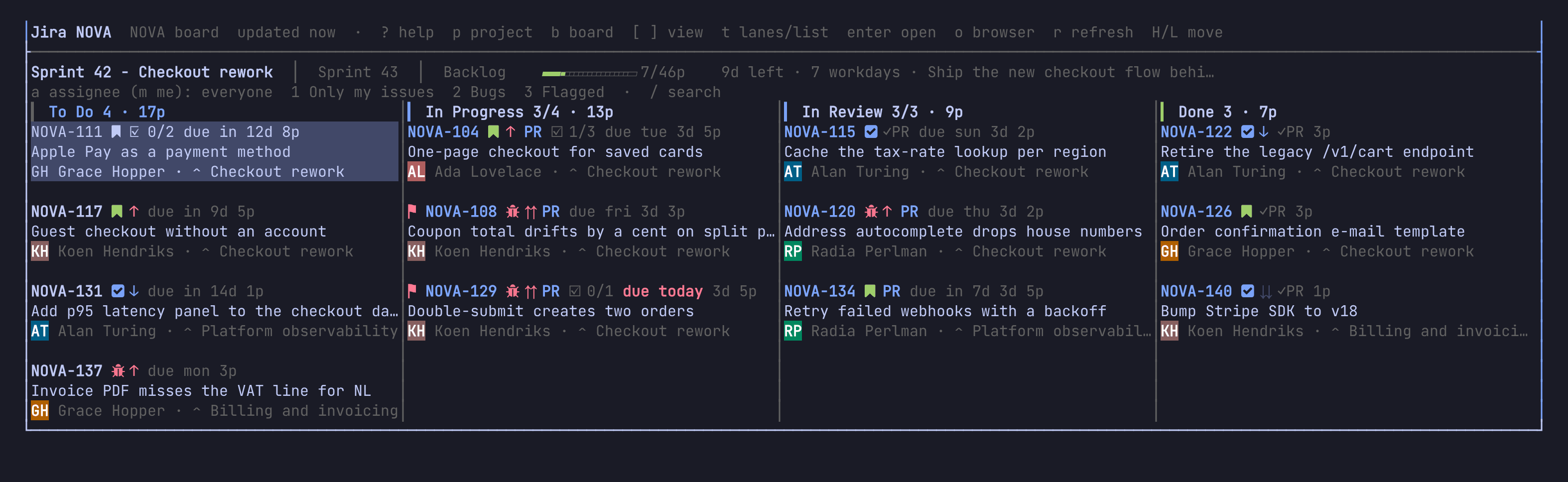
Chapters
- First run: install, a token, your board on screen
- The board and the panel: narrow the board, read an issue, go anywhere
- Editing and moving: move cards, change fields, write, create, edit many at once
- Planning and reporting: fill a sprint, epics on a timeline, charts, releases
- Your day: home, log time, a timer, the standup, the inbox
- Work on an issue: branches, commit keys, coding agents, pull requests, reviewing a merge request
- From the shell: scripts, completion, your prompt, working offline
- Make it yours: JQL, rules, cards, keys, settings, looks, when something looks off
- In the browser: run
laneway webfor good, its layout, your phone, what differs, security
Tip: you can't break anything by reading. laneway only writes to Jira when you move a card, edit a field or comment, so poke around freely.
Looking for one key or option? The reference lists
them all, and ? inside laneway shows the keys as they are bound.