1. First run
In this chapter: install laneway, give it a Jira token, and get your team's board on screen. At the end you can find your way around a board and back out again.
Install
Pick one:
brew install cornedor/tap/laneway      # macOS
yay -S laneway                         # Arch (AUR), laneway-git for main
nix run github:cornedor/laneway
go install github.com/cornedor/laneway@latest
Or grab a binary from
Releases and put it on your
PATH. When a newer release is out, ↑ v1.2 shows in the header and the
palette (:) has the command that updates it.
Terminal or browser
One binary, two ways to use it. laneway runs in your terminal;
laneway web serves the same app to your browser, on
http://127.0.0.1:8484. They share the config, so you set up once, and
both can run at the same time.
Throughout this guide, where the two differ you'll see a tab for each. Pick yours once and every page follows.
Try it first: laneway -demo or laneway web -demo opens a generated
project, with sprints, comments, worklogs and a merge request to review.
No site, no token; move cards and comment all you like, it is gone when you
quit. Most of this guide works on it; git, agents and your own sites need
the real thing.
Tell it where your Jira is
Run laneway. The first time, it has no config yet, so it asks:
Connect laneway to a Jira site, or type demo to try it on a generated board first. ctrl+d cancels.

Jira site, its name (acme) or URL: acme
  https://acme.atlassian.net
Email: you@example.com
API token: make one at https://id.atlassian.com/manage-profile/security/api-tokens
  paste it, or press enter to open that page:
  signing in… ✓ signed in as Ada Lovelace
Keep the token in the system keyring instead of the config file? [Y/n]

Saved as jira in ~/.config/laneway/config.yaml.
For the token, press enter and the page opens: Create API token,
name it "laneway", copy it, paste it back (it isn't shown). laneway
signs in before it saves anything; a typo says what went wrong and asks
again, with enter keeping what you typed. The keyring question only
comes where there is one (secret-tool, macOS Keychain). Then your
board opens.
Run laneway web. Without a config the browser opens on a setup page:
your site (acme or its URL), email and an API token, with the steps to
make one. It signs in before it saves anything and says what went wrong
if it can't.
Two boxes to tick: keep the token in the system keyring, and start
laneway web when you log in. Try the demo starts the generated
project instead.
The config is plain YAML, readable only by you:
~/.config/laneway/config.yaml.
Tip: rather not keep the token in the file or a keyring? Export
JIRA_API_TOKENfirst; setup then offers that, and the file gets none.Tip: add
projects: [ABC]underjira:to put the projects you work in at the top of the project picker. In the browser, Settings > Jira site > Projects picks them from the site's projects and writes that line.
Token expired? laneway setup again with the same site replaces the email
and token and leaves the rest of the config alone;
laneway -site club setup fills in club's URL for you.
Your board
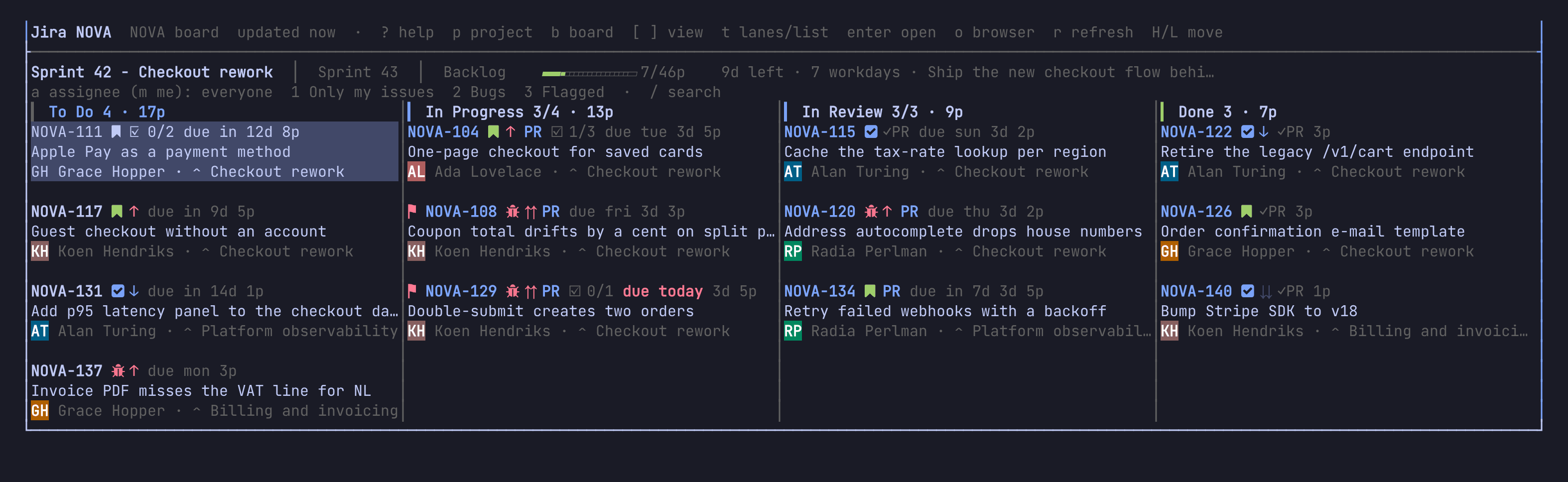
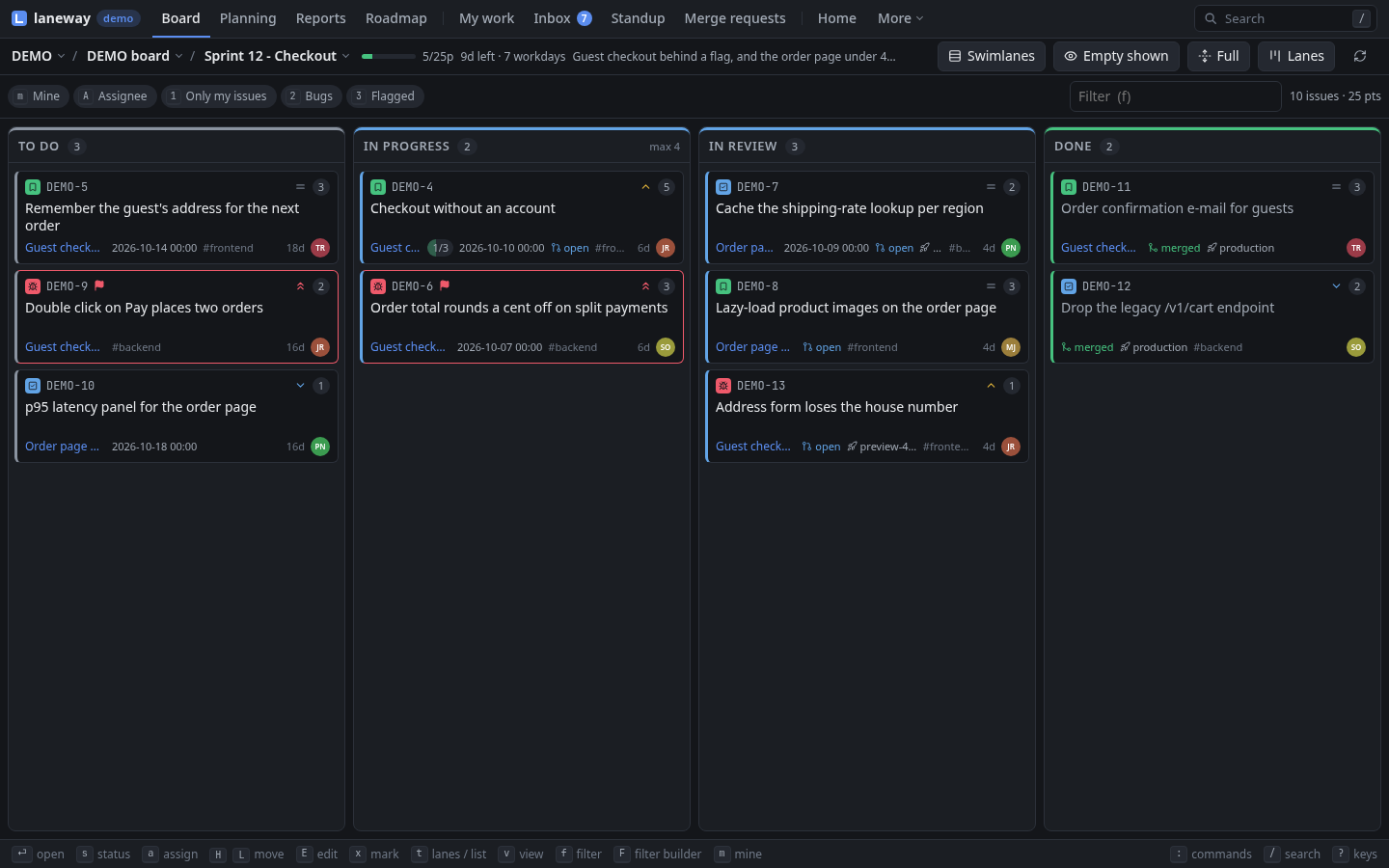
laneway opens on a board of the first project in projects (or, without
that list, the first project you can see by name): the board's columns side
by side as lanes, one card per issue.
| Key | Does |
|---|---|
p |
pick a project (type to filter) |
b |
pick one of the project's boards |
| Key | Does |
|---|---|
alt+p |
pick a project (type to filter) |
B |
pick one of the project's boards |
Or click the project and board names in the bar above the lanes.
laneway remembers both, so next time it opens right there, from a cached copy while the fresh one loads.
Look around
| Key | Does |
|---|---|
arrows or h j k l |
move between cards and lanes |
[ ] |
the board's views: active sprint, next sprints, backlog |
t |
swap the lanes for a sortable list, and back |
enter |
open the card's issue in a panel beside the board |
esc |
close the panel again |
? |
every key, as bound on your machine |
: |
the palette: every action you can take right now |
q |
quit |
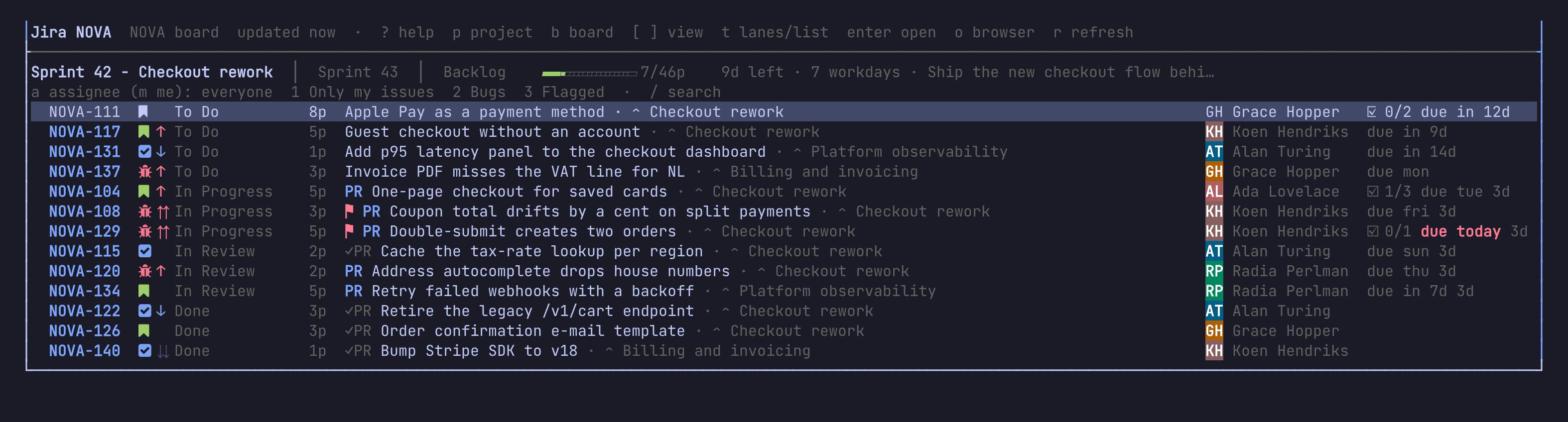
Try it: press
tfor the list, thensa few times to sort it by priority, points, assignee…tagain brings the lanes back.
| Key | Does |
|---|---|
arrows or h j k l |
move between cards and lanes |
[ ], v |
the board's views: active sprint, next sprints, backlog |
t |
swap the lanes for a sortable list, and back |
enter |
open the card's issue in a panel beside the board |
esc |
close the panel again |
? |
the keys you can press right now |
: |
the palette: every command, view and issue |
g then a letter |
another view: g p planning, g r reports, M lists them all |
The bar at the bottom shows the main keys of what has the focus; a click presses one.
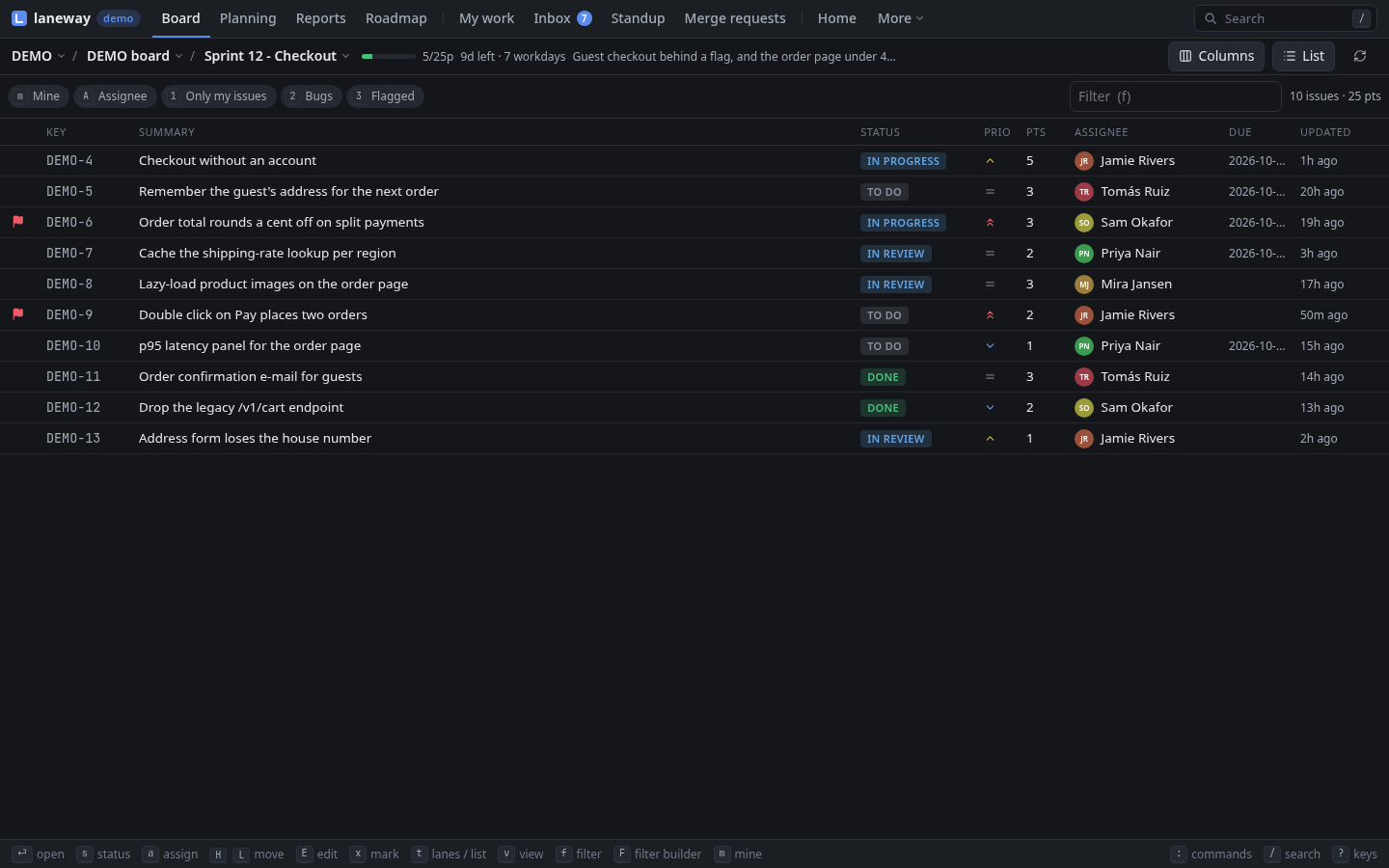
Try it: press
tfor the list, thenOa few times to sort it by priority, points, assignee…tagain brings the lanes back.
Tip: lost?
?shows the keys of the screen you are on, and:finds any action by any word.
More than one Jira?
Press @ and pick add a Jira site: the same questions, and a name to
pick it by (club for club.atlassian.net). It lands under sites:, and
laneway opens on it. @ switches between them after that, and the next
start opens the one you last picked; laneway -site club starts on one.
laneway setup does the same from the shell.
sites:
  club: {base_url: https://club.atlassian.net, email: you@example.com, api_token: ...}
Recap
lanewayin the terminal,laneway webin the browser, one config.- The first start asks for your Jira, email and token;
@adds another site. - Pick a project and board once;
[]views,tlanes or list. enteropens an issue,esccloses it,?when in doubt.
Next: The board and the panel, where you narrow the board down and read an issue without opening Jira.