8. Make it yours
In this chapter: make laneway work for you. Search all of Jira with JQL, keep your favourite searches one key away, let rules watch for changes, and bend the cards, lanes, keys and colours to your taste. It ends with what to check when something looks off.
JQL: Q
The board's search only narrows the cards already loaded. Q asks Jira
itself: type JQL, enter, and the results show as a view like any other.
It completes fields, functions and keywords as you type, and a field's
values after an operator.
ctrl+sstars the query: it becomes a view (★ …) on every board.ctrl+fsaves it as a real Jira filter under a name you type, to share or subscribe to in Jira. Your starred Jira filters show as views too (ui.saved_filters: offhides them).
tab takes a suggestion, ↑ ↓ choose. An empty input offers your
past searches; ctrl+s on a starred one unstars it.

Q opens the palette in JQL mode; tab takes a suggestion.
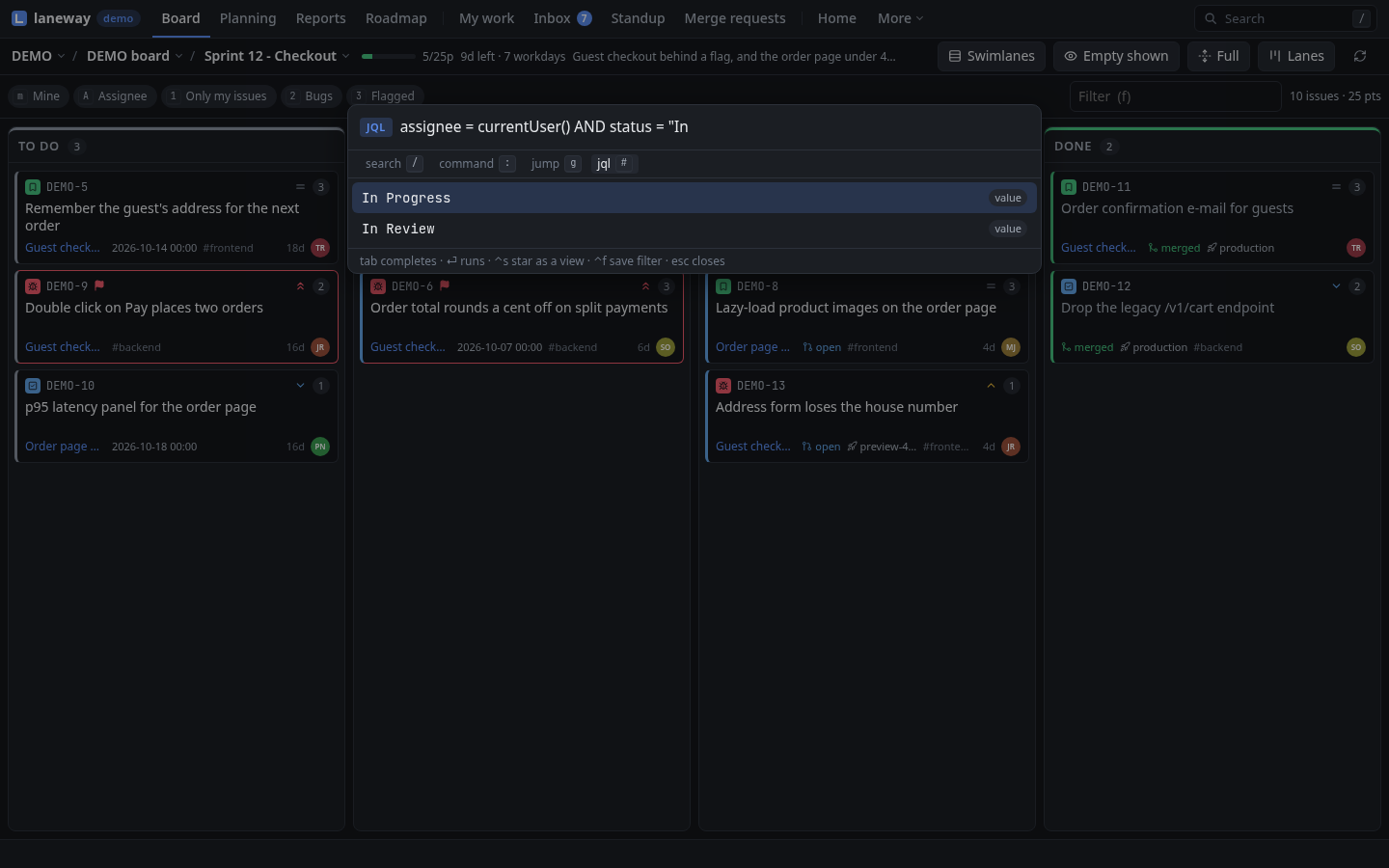
Try it:
Q, thenassignee = currentUser() AND updated >= -7d,enter. Everything of yours that moved this week, on one board. Like it?ctrl+s.Tip: views you always want can live in the config too:
ui:
  views:
    - {name: Mine, jql: "assignee = currentUser()"}
  filters:                      # named board searches, found in the palette
    - {name: Stale review, query: "status:review age>3d"}
Rules
Rules react to what changed on the board since the last refresh: a new
issue, or a status, assignee, priority, points or summary change. They
live under rules: at the top of the config, and run in the terminal and
in laneway web alike.
A rule that tells you when a bug is done:
rules:
  - name: done-bugs
    on: status
    match:
      type: Bug
      status: Done
    actions:
      - type: notify
        title: "{{.Key}} done"
What a rule can do:
| Action | Does |
|---|---|
notify |
a desktop notification (the terminal's, or the browser's) |
highlight |
a ● on the card until you open it |
log |
a line in ~/.config/laneway/rules.log |
exec |
runs a command, with the issue as JSON on stdin |
transition |
moves the issue along its workflow |
comment |
posts a comment |
transition and comment write to Jira, so they only fire on changes
someone else made, never on yours and never on their own writes. A rule
with watch: follows its own JQL instead of the board, polled every
every:. The rules reference has the rest.
Test before you trust
laneway rules list                                    # what loaded
laneway rules test -on status -type Bug -status Done  # what would fire, and why not
g l opens Rules: what loaded, a live feed of what fired, and Try a
change (t), a form that says which rules a change fires and what
stopped the rest. N turns on browser notifications for notify.
Try it: add the
done-bugsrule above and try a change to Done on a Bug. It showsdone-bugsfiring, and for every other rule what stopped it.
Keys
Every action can be rebound.
In the config, to one key or several:
ui:
  keys:
    search: ctrl+f
    mine: [m, M]
    roadmap: none   # no key
The names are in the reference.
laneway warns when one key does two things on the same screen, and ?
always shows the keys as you bound them.
Settings › Keyboard: enter on an action captures a new key and saves
it in the config: ui.keys when the terminal has the action too, so
both follow, else ui.web_keys.
Your own actions
A command of yours can sit in the palette, and on a key:
ui:
  actions:
    - {name: copy for the changelog, key: "!", command: [sh, -c, 'jq -r "\(.key) \(.summary)" | wl-copy']}
It gets the issue (or the marked cards) as JSON on stdin and LANEWAY_KEY
in its environment; its last line shows as a message. In the browser it
runs on the machine laneway web runs on.
Your cards
ui.card_fields picks what a card shows and in what order; leave out what
you don't use. Your own Jira fields join by name:
ui:
  card_fields: [type, priority, points, assignee, due, age]
  custom_fields: [Team, Test type]
Custom fields show on cards and rows and are searchable:
"test type":e2e.
ui.card_layout places lane cards' fields yourself: top and bottom are
the lines around the summary, each with a _right side. Any field of
card_fields goes, plus key, labels and your custom fields by name.
List rows keep card_fields; ui.list_columns orders their columns
(key, type, priority, status, points, summary, assignee,
marks; the rest follow). In the terminal, dragging a list header onto
another writes it; the browser keeps its own order per list.
ui.card_styles restyle the cards a board search matches: a coloured
edge, a tint, fade, a bold summary, fields to hide, or fields to
show only on a match. A later match wins.
ui:
  card_layout:
    top: [type, key, flagged]
    top_right: [status, points]
    bottom: [parent, due, labels]
    bottom_right: [age, avatar]
  card_styles:
    - {when: "prio>=high", edge: err, bold: true}
    - {when: "age>5d -is:done", tint: warn}
    - {when: "is:done", fade: true}
    - {when: "due<7d", show: [due]}
Colours are accent, ok, warn, err, info (the theme's) or
#rrggbb. In the browser, Settings › Board and cards has a designer for
both: drag fields onto a card, add styles, and see sample cards change as
you go. The terminal draws the result too.
Your lanes
ui.lane_layouts put your own lanes over a board's columns: Test, UAT and
Deploy stacked under Done, columns reordered, renamed or hidden. Nothing
changes in Jira. Arrange one with alt+L in the terminal, or by dragging
in the browser's Settings; alt+l switches between them.
Arrange it shows them on the board,
Lane layouts the config.
Settings
Every ui: option by topic, with its value and default, and what the
selected one does; / filters them. Change one and it is checked, written
back to the config file (your comments kept) and applied at once. The
configuration reference lists them all.
, opens them. enter edits one, or picks from its values when it has
a fixed set (icons, theme, …).
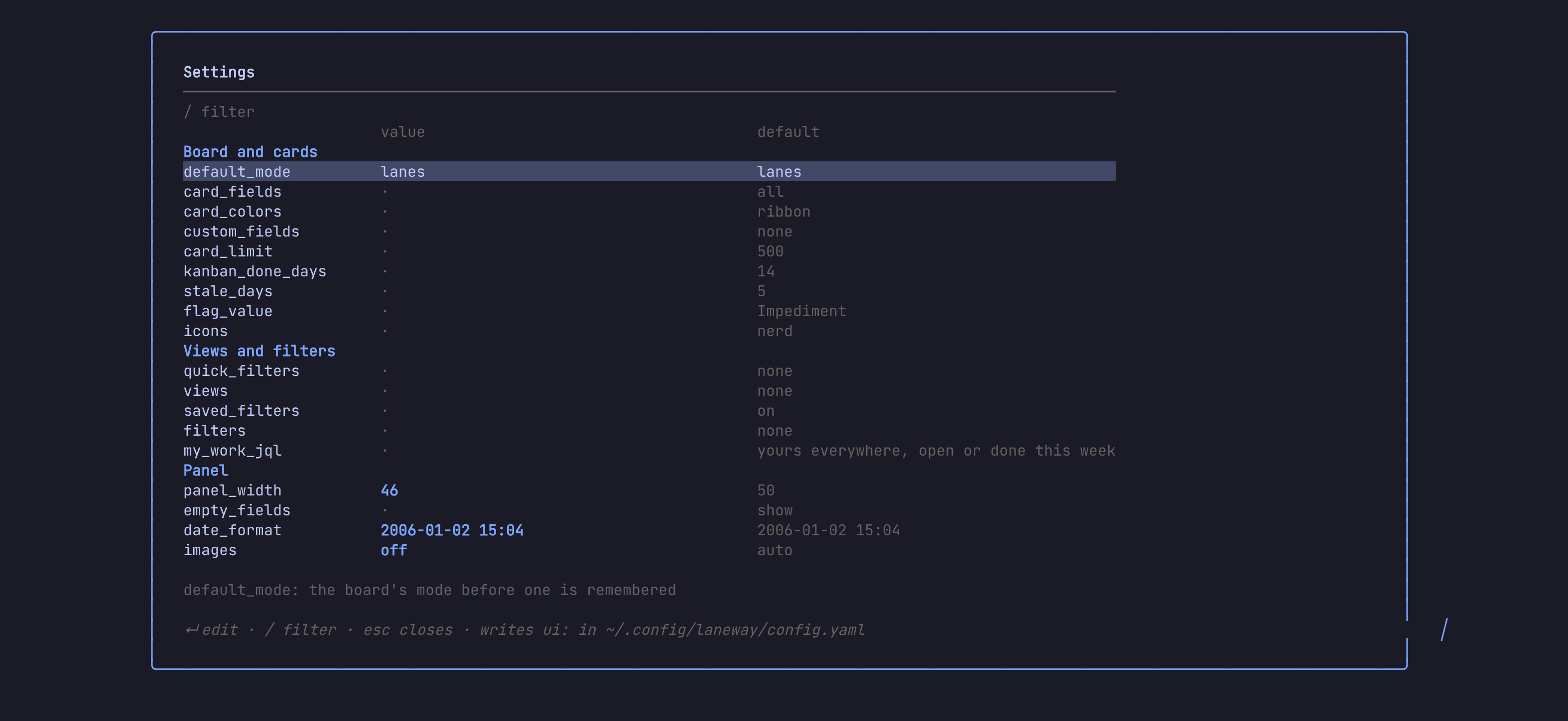
Try it:
,,/panel_width,enter, set it to40. The panel resizes as you pressenter.
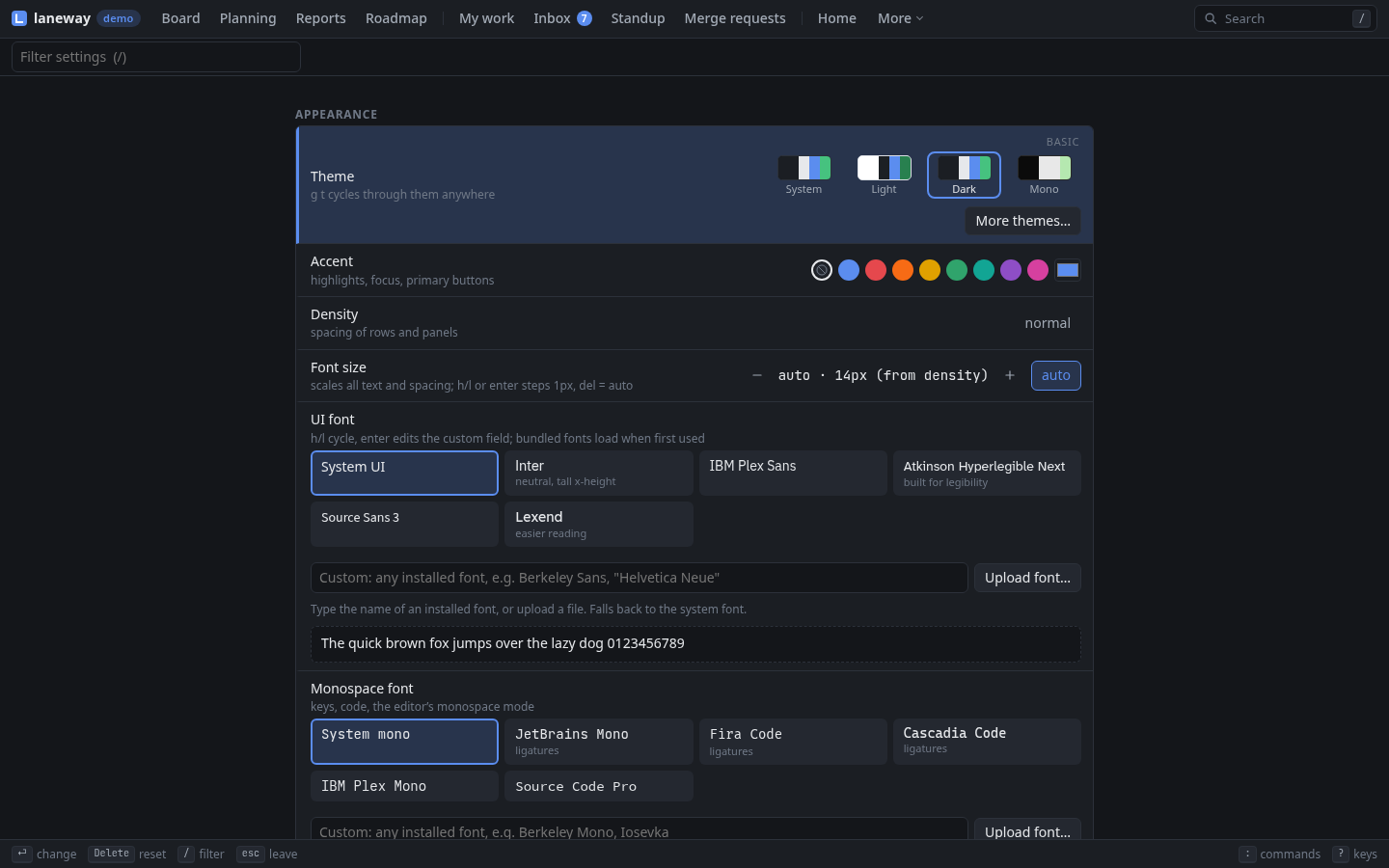
g , (or ,) opens them, beside the browser's own: Appearance,
Keyboard, Notifications and App. enter or space changes a row, h l step its
values, delete resets it. quick_filters, views and my_work_jql
get a JQL editor: a name and a query per row, completions as you type,
and how many issues each finds.
The page opens on the options that make laneway yours: theme, cards,
lanes, views, keys. Advanced (a) shows the specifics and tuning
too (panel_width, card_limit, velocity_sprints, …) and the
terminal's own options, remembered per browser. Off, / still finds
them, and one your config sets stays in sight.
Look
Start from a preset and change what you like:
ui:
  theme:
    preset: tokyonight   # catppuccin, gruvbox, dracula, nord, onedark, rosepine, kanagawa, … light ones too
    accent: "#7aa2f7"
    dim: "244"
Colours take ANSI numbers (0–255) or #rrggbb; the
reference lists the presets
and colour names. On a font without Nerd Font glyphs, ui.icons: plain
draws issue types as letters. theme: mono, or NO_COLOR in your
environment, uses no colour.
Settings › Appearance: the theme (system, light, dark, nord, gruvbox, solarized, tokyonight, catppuccin, dracula, onedark, rosepine, kanagawa, monokai, most with light and dark variants, or mono), accent, density, font size, motion, the key bar, and your own CSS tokens as JSON:
{"--bg": "#101010", "--radius": "2px"}
g t cycles the theme; the palette lists them as Theme: …. Fonts:
the interface's and the code's, your own families or uploaded files,
ligatures and line height. Look is kept in the browser; fonts on the
server, per site.
When something looks off
| You see | Try |
|---|---|
Boxes or ? for issue types |
ui.icons: plain, or a Nerd Font |
| No images in tmux | set -g allow-passthrough on in tmux.conf |
| Your terminal can't select text | ui.mouse: off leaves the mouse to it |
| A message flashed by | the palette's messages row lists the last ones |
| Sign-in fails after months | the token expired: laneway setup again |
| Requests time out on a slow site | raise jira.timeout (20s by default) |
| A rule doesn't fire | laneway rules test says what stopped it |
| You see | Try |
|---|---|
| The page doesn't load | is laneway web running? laneway web again opens the one that is |
| No notifications | allow them: Settings › Notifications, or N in Rules |
| Sign-in fails after months | the token expired: laneway setup again |
| Requests time out on a slow site | raise jira.timeout (20s by default) |
| A rule doesn't fire | Try a change in Rules (g l) says what stopped it |
Where to next
?in any screen for its keys,:for anything you can't find.- The reference for every option, search term and key.
- The releases for what just landed.
Previous: From the shell · Next: In the browser