5. Your day
In this chapter: start the day on one screen, log your time without a spreadsheet, run the standup, and see what others did on your issues while you were busy.
Home
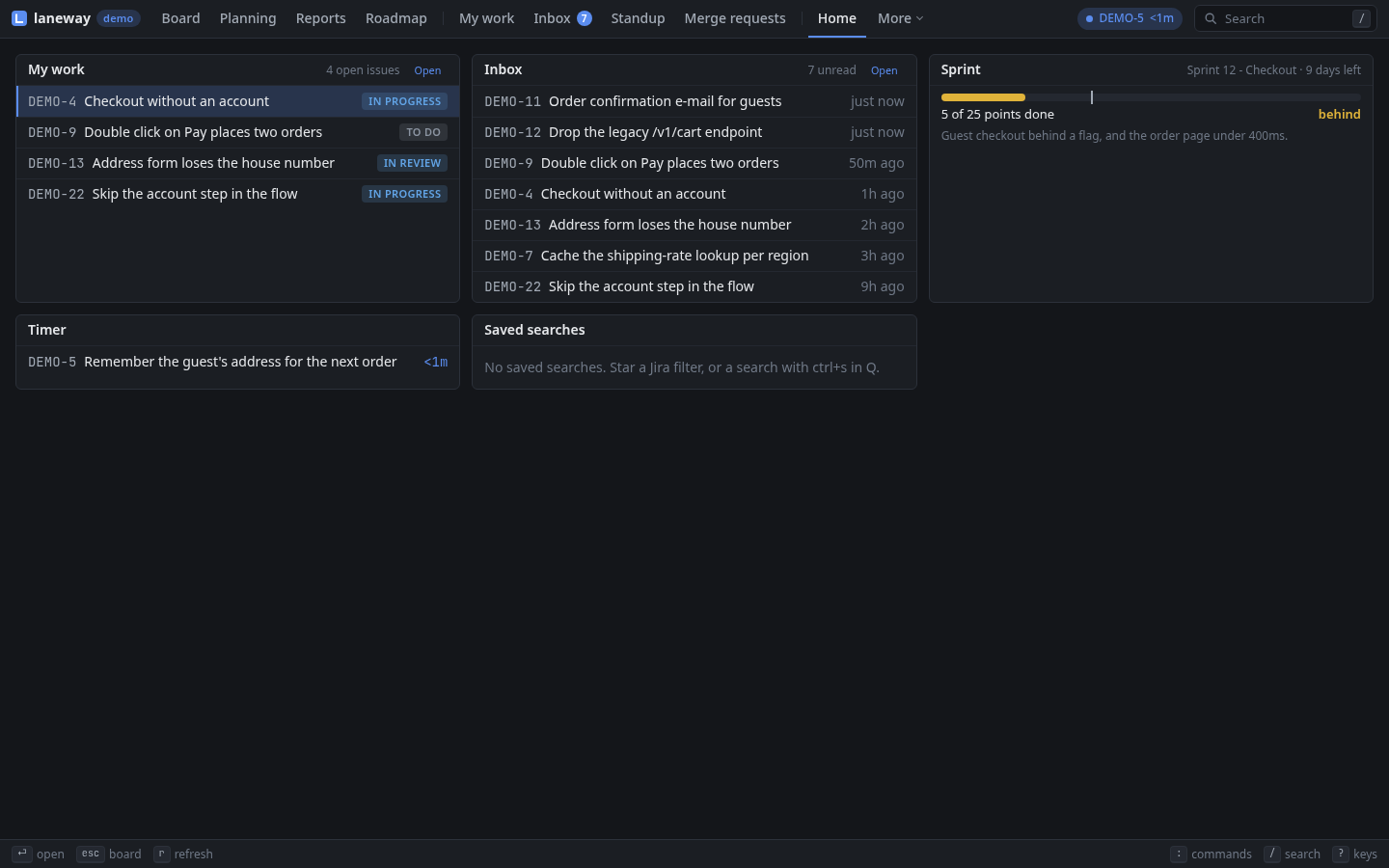
Your day on one screen: your open work, unread inbox threads, the sprint
(done against the time gone, behind when it trails), the running timer
and a count per saved search. enter opens the
row; on a heading, its own screen. To start every day there:
ui:
  home: [work, inbox, sprint, timer, filters]   # any of them, in your order
~ opens it.
g h opens it.
Log work
w logs time on the issue: 1h 30m fixed the flaky test (also 1.5h,
45m, 2d of 8h). It ends now, unless you put a day first: yesterday
2h, fri 1h, 2026-09-21 3h, -2d 1h; that day's work starts at
ui.workday_start (09:00). It comes off the issue's remaining estimate;
add left:2h to say what's left instead, left:keep to leave it.
The timer
T starts a timer on the card or issue you're on; it shows in the header
and on the card (⏱ 12m) and survives a restart. T again stops it into
the same log input, filled in with the time and when it started.
ui.timer_round: 15m rounds it up. T on another card logs this one and
starts timing that one.
In the stop input, ctrl+d drops the timer unlogged (twice after five
minutes), and ctrl+t moves the timer to the card you're on, its time
with it.
The running timer sits in the bar on top; a click stops it.
Try it:
Ton the card you're about to work on. When you're done,Tagain, type what you did,enter. Your time is logged.
Your worklogs
What you logged on a day, with the total; edit an entry's time and
comment, delete one, copy the day as a markdown table. Propose fills the
gaps: your commits and branch switches in the jira.repos repositories,
the lines ui.activity commands print (agent logs, shell history), each
issue's time less what it has logged, rounded to a quarter. Point
ui.calendar at your calendar (an .ics URL or file, or khal's vdir) and
set ui.meeting_key to the issue you book meetings on, and each meeting
that day is proposed too, its title as the comment. Log a proposal and it
is logged from its start.
The week shows as a grid, an issue per row and a day per column, with the totals and how short each past workday is of 8h. Log on any cell.
W lists today. [ ] step a day, e edits an entry, d twice
deletes it, p proposes, enter logs a proposal, y copies.

W again shows the week: [ ] step a week, enter logs on a cell,
# adds a row for an issue you haven't logged on yet.
W opens My work on the day. h l step a day, 0 back to today,
e edits an entry, d deletes it, p proposes, enter logs a
proposal, a logs work, y copies.
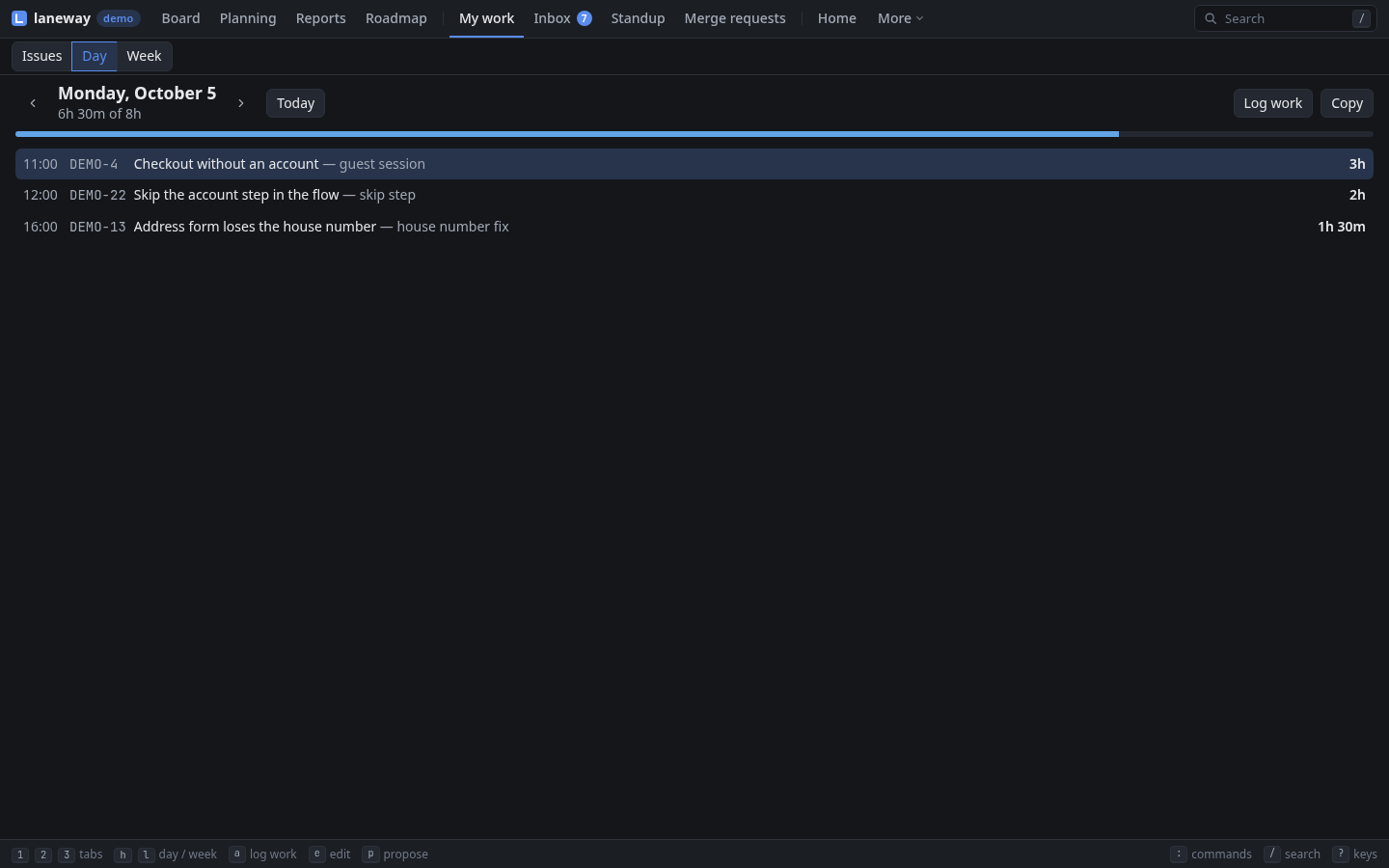
W again (or 3) shows the week: h l step a week, enter logs on
a cell, + adds a row for another issue.
Try it: on Friday, open the week, fill the gaps,
y, paste it into the time registration.
Standup
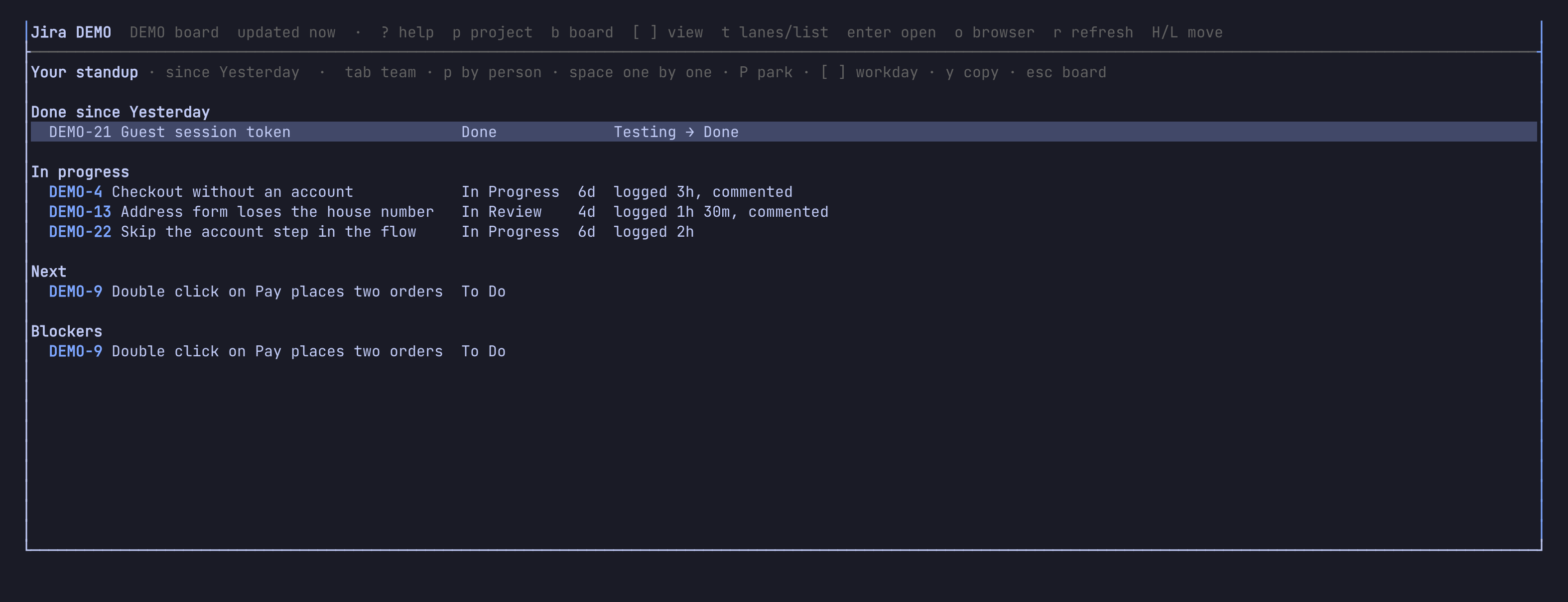
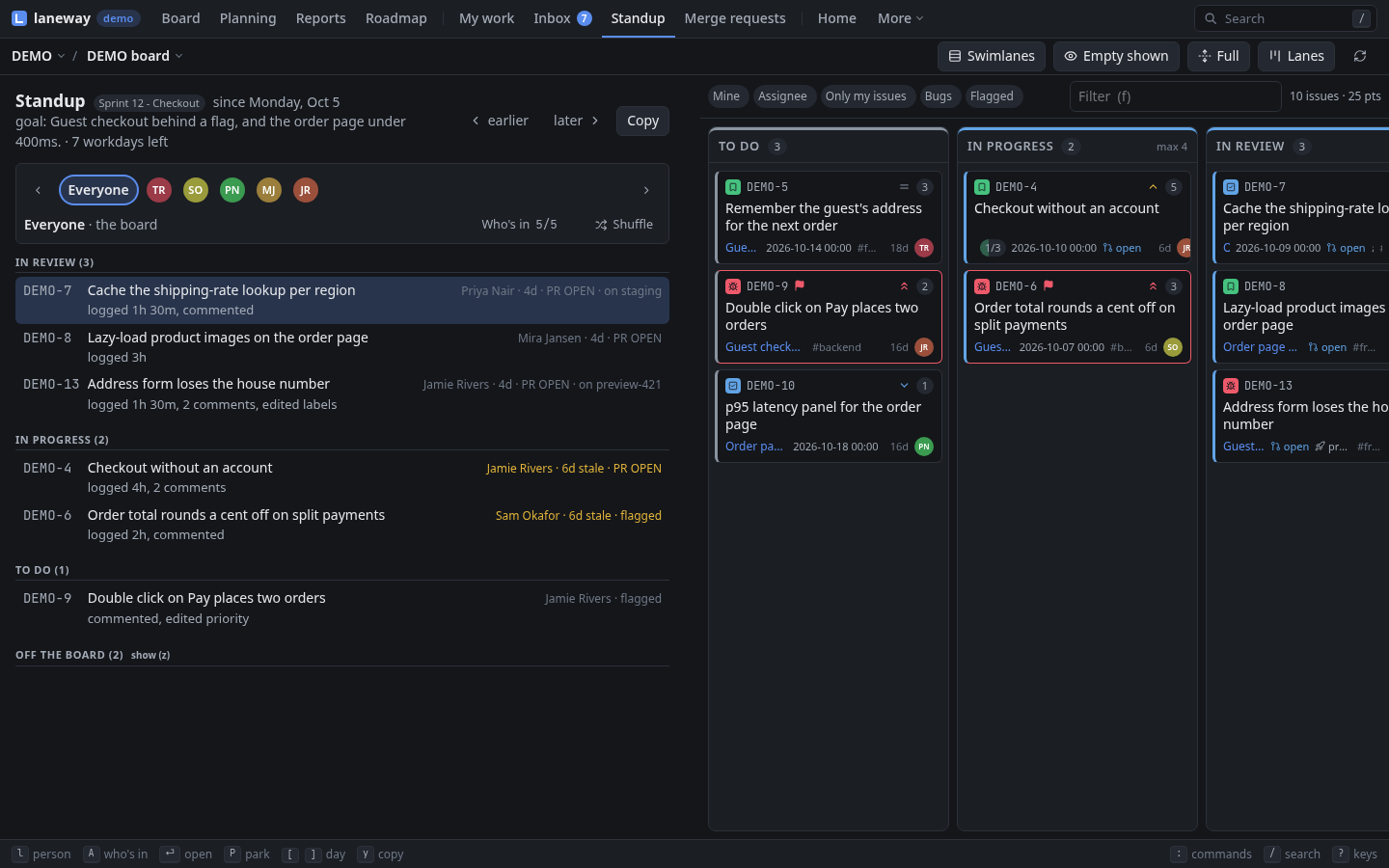
The standup since the previous workday (Friday on a Monday;
ui.standup_lookback reaches further), over the sprint goal and the
workdays left. A strip on top goes round the people: Everyone first,
then each assignee on the board in the order the walk meets them, the one
shown named, those heard ticked, someone without activity marked no
changes.
- Everyone walks the board right to left, closest to done first: each
card in progress with who has it, how long (stale past
ui.stale_days), a flag, what blocks it, its pull request or deploy, and what happened since (To Do → Done, logged 2h, 2 comments), or no activity. - A person's stop is their cards and those they did something on; yours
adds your commits in the
jira.reposrepositories. - Off the board, folded, has what was done on the project's other issues.
- Park a card for after the standup: the Parking lot comes last on Everyone, kept for the sprint.
Pick who takes part, kept per board: on a big project the board's
assignees are more than the team. With ui.standup_timer: on, a timer
starts with the first person: each turn counts down ui.standup_length
(15m) split over those taking part, or ui.standup_timebox, red once it
runs out. It never moves on by itself.
U swaps the board for it. ← → go round the people, a picks who
takes part, s shuffles, space starts or pauses the timer, P
parks a card, z folds out Off the board, [ ] step a workday,
enter opens the issue, y copies the stop as text, esc goes back.
U (or g s) opens it with the board beside it, on the same view,
past a grip like the panel's. The board's assignee filter follows the
person shown, and picking someone in it goes to their stop. h l go
round the people, A picks who takes part, s shuffles, space the
timer, P parks a card, z Off the board, [ ] step a workday, y
copies.
Try it: start the standup with your team, go round with
→, and park anything that turns into a discussion.
Inbox
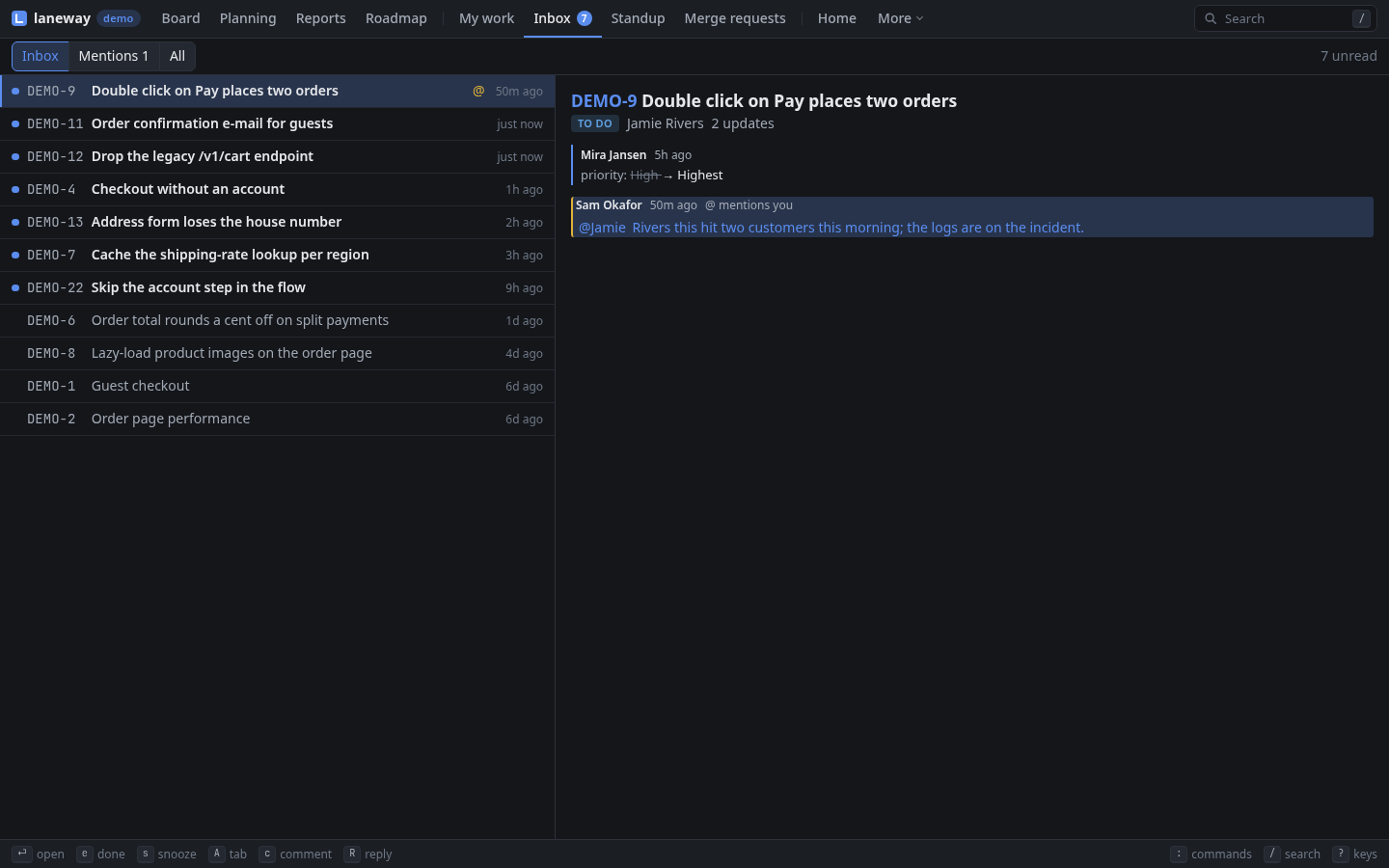
What others did on the issues you watch, are assigned or reported, in the
last week, on every site you added: one thread per issue, unread marked
●, mentions first, each in full beside the list with what's new marked.
Another site's threads say so, and open in Jira.
Each thread keeps its own marks. Showing it reads it; u makes it unread
again. e marks it done: off the list until something new happens. E
does that for every read thread. s snoozes it till the next workday.
c comments, R replies to its newest comment, o opens it in Jira.
The unread count shows on top, and a new mention raises a notification.
I opens it; tab switches Inbox · Mentions · All. The header shows
✉ 3; the notification goes through the terminal (kitty, Ghostty,
WezTerm, foot).
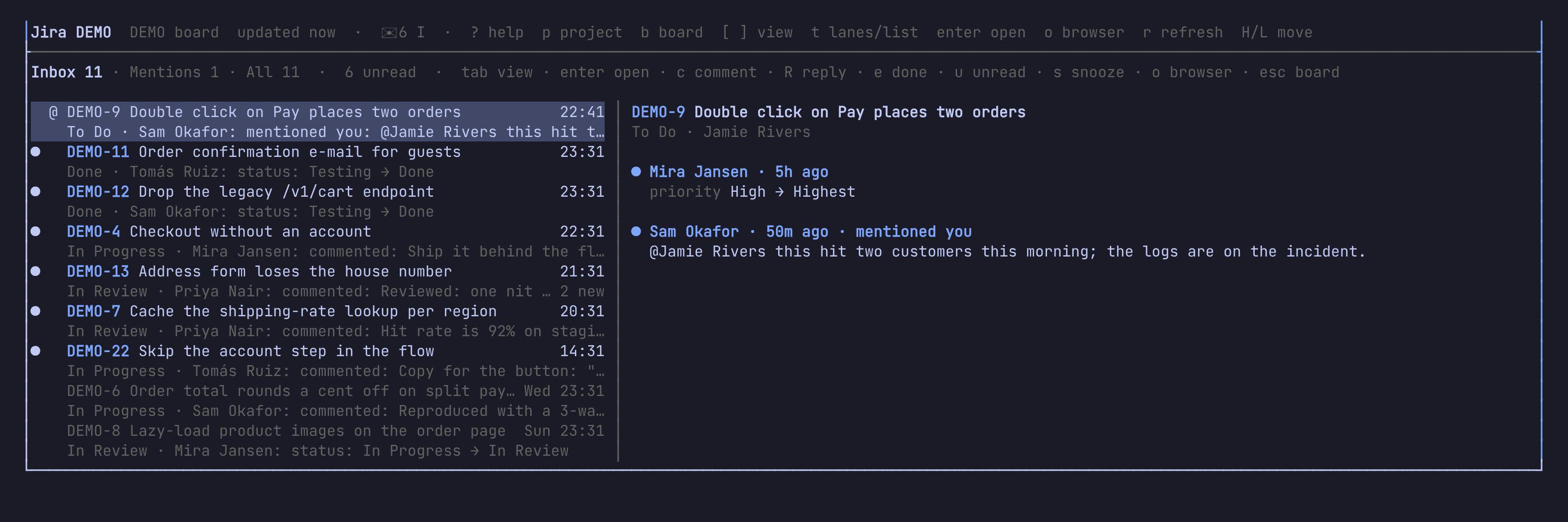
I (or g i) opens it; 1 2 3 or tab switch Inbox · Mentions ·
All. The count shows on the Inbox tab and the app's badge; mentions
become browser notifications once you allow them.
My work
What's assigned to you in every project, open or done this week, grouped
by status. ui.my_work_jql changes what it asks.
O opens it.
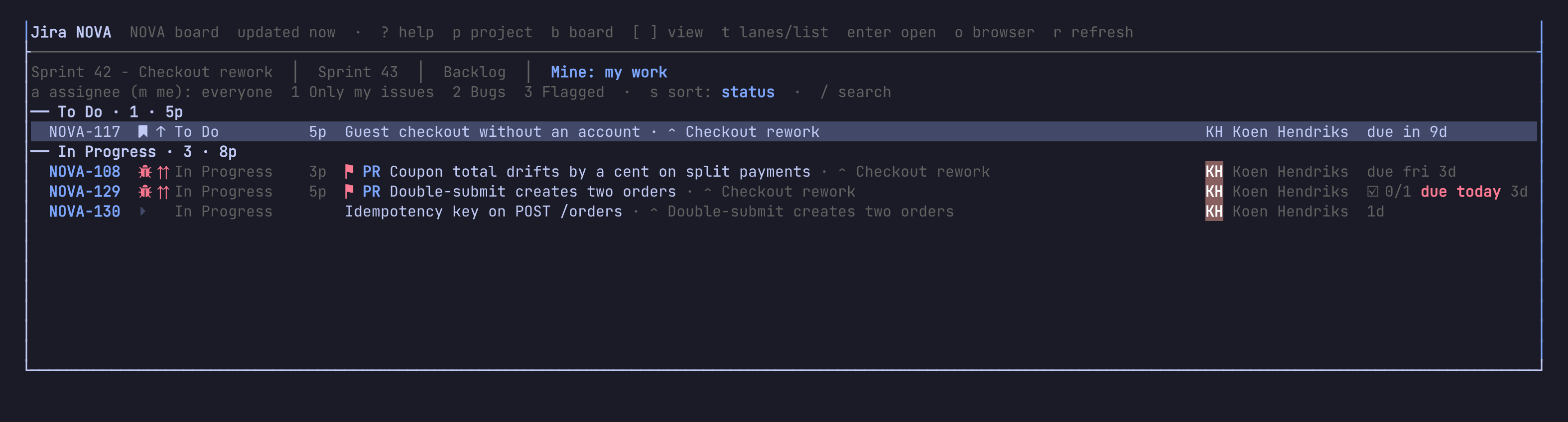
O (or g w) opens it; v groups by status, project or nothing, d
hides what's done.
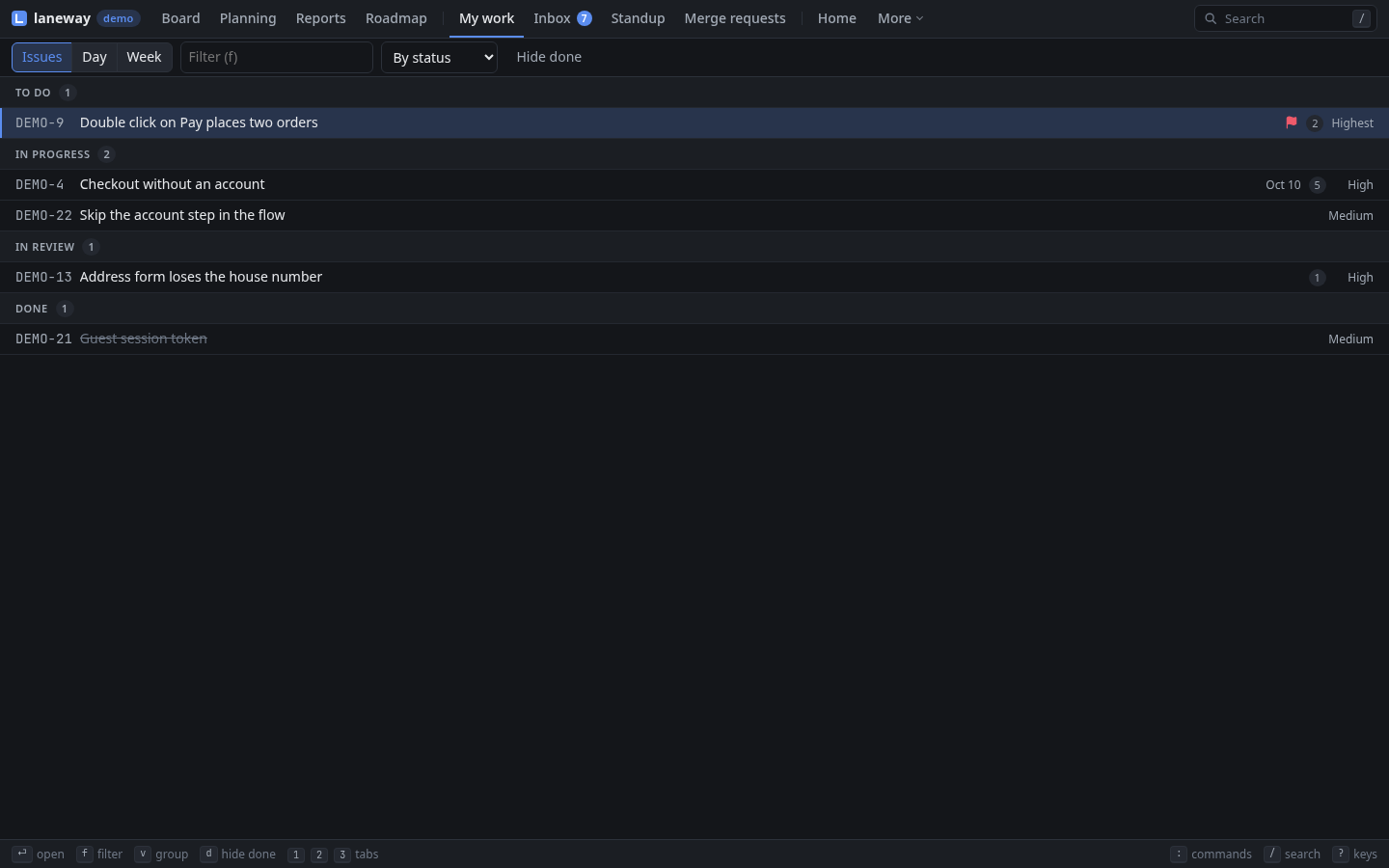
Recap
- Home is your day on one screen;
ui.homestarts there. wlogs work,Ttimes it,Wshows the day (propose fills the gaps, meetings included) and the week.Uruns the standup, round the team, with a timer if you want one.Ishows what others did,Oall your work.
Previous: Planning and reporting · Next: Work on an issue